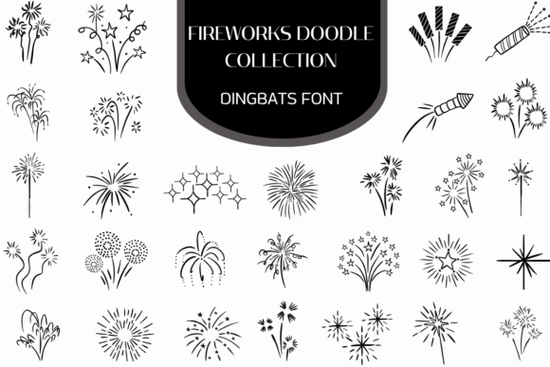
Need a quick way to add fireworks, sparklers, and celebratory flair to your designs without drawing them from scratch? The Firework Doodle Collection Font is a dingbats font that maps hand-drawn festive doodles directly to your keyboard. Instead of typing letters, you get instant access to starburst rings, streaming bottle rockets, classic sparklers, curling firework trails, and clusters of celebratory bursts. It's built for designers, crafters, and small business owners who want a hand-crafted celebration look without spending hours in Illustrator.
What Exactly Is a Dingbats Font, and How Does It Work?
A dingbats font replaces standard letters and numbers with symbols or illustrations. When you install the Firework Doodle Collection, every key on your keyboard triggers a different firework-themed doodle. Press "A" and you might get a shimmering constellation. Press "B" and a streaming bottle rocket appears. You can use these characters in any program that supports fonts Canva, Adobe Illustrator, Photoshop, Microsoft Word, or even your favorite design app on a tablet.
The line-art style makes these doodles versatile. They work at small sizes for icons and at large sizes for posters and banners. Because they're vector-based, they scale cleanly without losing quality.
What Types of Designs Can I Make With This Font?
This collection is a natural fit for any project that needs a festive, celebratory mood. Here are some popular uses:
- New Year's Eve event promotions flyers, social media posts, and digital invitations
- Fourth of July festival graphics parade banners, community event posters, and patriotic merchandise
- Birthday card accents add hand-drawn sparklers and bursts to card fronts or envelopes
- Carnival and party invitations layer doodles as borders, corner accents, or background fills
- Print-on-demand products T-shirts, tote bags, mugs, and sticker sheets with a celebration theme
- Social media overlays and stickers frame Instagram stories, Reels covers, or YouTube thumbnails
- Web iconography use individual doodles as playful icons on blogs or landing pages
Because the doodles are line-art style, they're easy to recolor. Just change the font color in your design software to match your palette gold for an elegant New Year's look, red and blue for Independence Day, or bright multicolor for a birthday bash.
Who Is This Font Best Suited For?
If you work with celebration-themed designs on a regular basis, this font saves real time. It's especially useful for:
- Graphic designers who need quick decorative elements for client projects
- Print-on-demand sellers building seasonal product lines around holidays and events
- Small businesses creating their own promotional materials without hiring a designer
- Crafters and hobbyists making party decorations, scrapbook layouts, or greeting cards
- Social media managers who want festive overlays that feel hand-drawn, not stock-looking
The organic, hand-crafted quality of the doodles gives designs a warmth that purely digital graphics often lack. That's a real advantage when you want your materials to feel personal and inviting.
How Does It Compare to Other Doodle Fonts?
Creative Fabrica offers several dingbats and doodle-style fonts for different themes. If you love the hand-drawn aesthetic but need something beyond fireworks, the doodle sticker font covers a broader range of everyday sticker-style illustrations think smiley faces, speech bubbles, and decorative shapes. Together, these two fonts cover a wide range of project types, from celebration-specific designs to general-purpose playful graphics.
You can explore the full Firework Doodle Collection to see every character included and preview how each doodle looks at different sizes.
What Should I Check Before Using It in Commercial Projects?
Always review the license terms before using any font for products you sell. Creative Fabrica's licenses vary, so confirm that your intended use whether it's print-on-demand merchandise, client work, or digital downloads is covered. This is especially important for POD sellers who need to verify that a font license allows embedding designs in physical or digital products sold for profit.
Quick Setup Checklist
- Download and install the font file on your computer (works on both Mac and Windows).
- Open a character map or the provided glyph preview to see which key maps to which doodle.
- Set your font size large enough to see the line-art detail start around 72pt and adjust from there.
- Change the font color to match your design palette before placing characters.
- Test at your final output size to make sure details stay crisp, especially for print projects.
- Review the license to confirm it fits your specific commercial use case.
Tip: Try combining firework doodles with a clean sans-serif body font. The contrast between detailed hand-drawn celebration elements and simple typography keeps your layout balanced and readable the doodles stand out as accents instead of competing with your text.
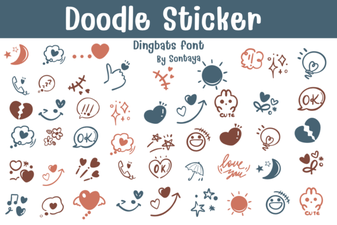 Doodle Sticker Font Ideas for Creative Design Projects
 Discover Robobo Font: a Bold Modern Typeface for Creative Projects
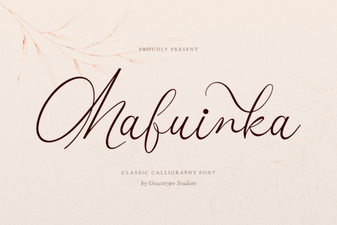 Mafuinka Font: a Stylish and Creative Typeface for Modern Design
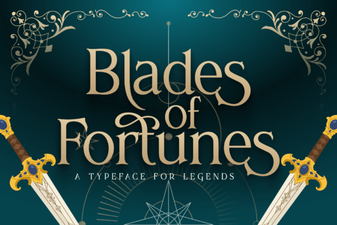 Blades of Fortunes: a Distinctive Fantasy Font
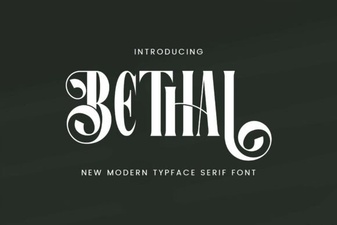 Behal Font: a Modern Typeface for Creative Design Projects
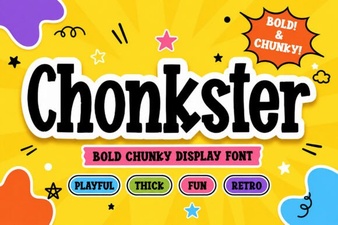 Chonkster Font: Bold and Playful Display Typography